


Document management is about keeping your business files in order, accessible, and safe. Imagine being in the middle of an important project, and can’t find a key file. Sound familiar? That’s the reality of poor document management. Keeping business documents organized and accessible shouldn’t feel like a punishment. Yet, for many, it does. The good news? You can either keep hacking your way through the chaos, or you can bring order to the madness with a little skill known as document management. It will really improve your business productivity.
What Is Document Management?
In more simpler terms, document management is organizing, storing, and salvaging documents. This includes digital files like PDFs and spreadsheets or even physical papers. Good document management ensures:
- You can find what you need whenever you need it. (No more digging through folders named “Stuff.”)
- Sensitive information stays secure. (Say bye to passwords like “1234.”)
- Your team collaborates without confusion. (Everyone uses the same version of the “Final_V10” file)
With a good document organisation system, your files are stored in one central hub, searchable with just a few clicks. Document management – it’s the productivity hack you didn’t know you needed.
Why You Need a Document Management
Let’s admit it – document management might sound a bit dry. But who hasn’t laughed at the ridiculous file names we create in a rush? “SuperImportantThing.docx”? Classic. There’s also the oddly satisfying moment when you finally tackle your digital clutter. Deleting hundreds of outdated files feels like spring cleaning for your soul. Plus, the first time you instantly find a document using your new system? Pure euphoria. If you’re still living in file chaos, let’s talk about consequences. Poor document management can lead to:
- Lost Time: Hunting for documents eats up hours you could spend on meaningful work.
- Security Risks: Sensitive files left unprotected could land in the wrong hands.
- Stress and Mistakes: Missing deadlines because you couldn’t find the right version of a file? Nobody’s idea of fun.
Good document management is like having a virtual assistant for your files. It helps you avoid these pitfalls and keeps your workflow smooth and stress-free.
Paper vs. Digital: The Document Duel
The great discussion: paper or digital? Let’s look at the pros and cons.
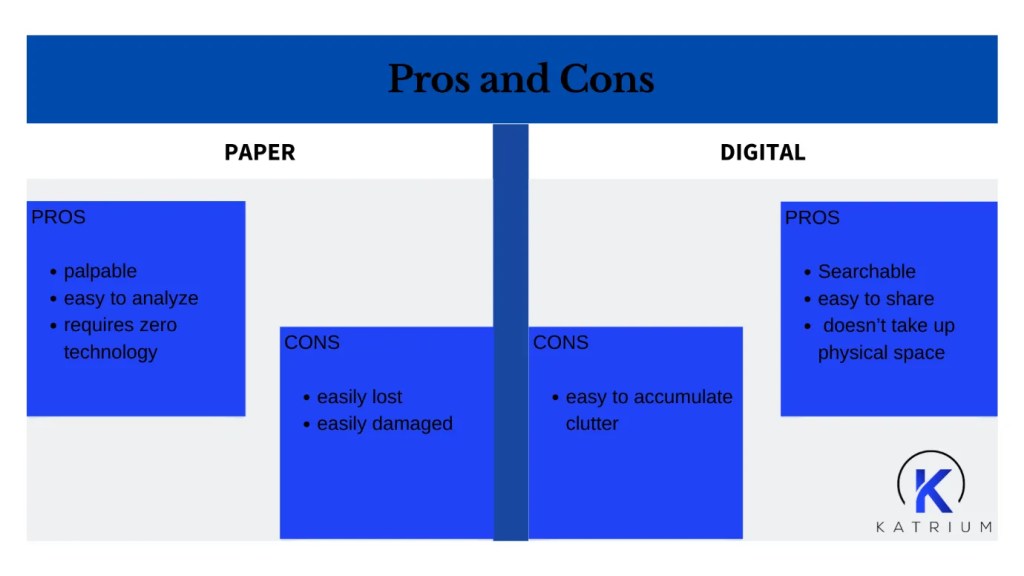
Paper Pros: It’s palpable, easy to analyze, and requires zero technology to access.
Paper Cons: It’s easily lost, damaged, or buried under a mountain of other papers.
Digital Pros: Searchable, easy to share, and takes up zero physical space. Cloud backups mean it’s safe even if your laptop takes a coffee bath.
Digital Cons: It’s easy to accumulate clutter when every email attachment becomes a saved file.
But, why not use both? Scan important paper documents into digital formats, keep physical copies for legal essentials, and enjoy the best of both worlds.
Tools to Supercharge Your Document Management
Here are some tools that make document management easy:
- Cloud Storage Services Examples: Google Drive, Dropbox, OneDrive
These let you store and access files from anywhere. Think of them as digital backpacks for your documents – lightweight and always with you. Bonus: they auto-save!
- Document Management Systems (DMS) Examples: DocuWare, M-Files, SharePoint
These are like Swiss Army knives for files. They help organize, search, and secure documents all in one place. It’s filing cabinets…but make it techy.
- Collaboration Tools Examples: Microsoft Teams, Slack, and Notion
These tools ensure everyone works from the same page. Share, edit, and discuss about the files in real time.
- Scanning Apps Examples: Adobe Scan, CamScanner
These tools will help you to turn the pile of paper on your desk into searchable PDFs in minutes.
- Password Managers Examples: LastPass, Dashla
Use these to protect sensitive documents with strong passwords.
They’re the vaults guarding your castle. Each tool has its superpower. Mix and match them to create a document management system that feels like magic!
Habits to Master Document Management
Having tools for organizing data is great, but habits make the magic happen. Adopt these practices to level up your document management game:
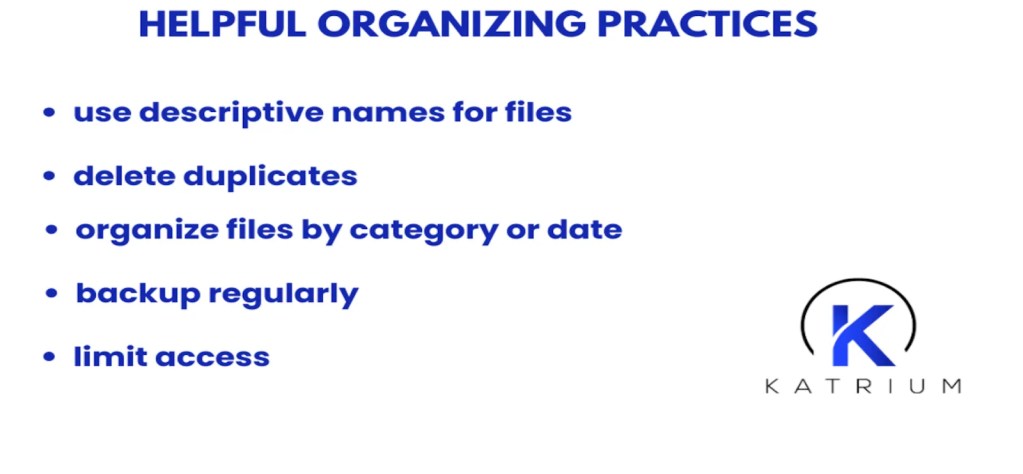
- Name Your Files Intelligently
No more “FinalFinalFINAL.docx.” Use descriptive names so you’ll know what’s inside without opening it.
- Declutter Regularly
Go through your files monthly. Delete duplicates and archive outdated documents.
- Use Folders and Tags
Organize files by category, project, or date. Tags can add an extra layer of findability.
- Backup Often
Use cloud storage or external drives to protect your files from accidental deletion or system failures.
- Limit Access
Ensure sensitive documents are only accessible to those who need them.
These habits keep your files organized and ensure that your document management system works like a charm.
Outsourcing Document Management
Tools and habits alone won’t fix the problem – you need a system and a partner who knows the ropes. This is where Katrium excels. We specialize in business support and outsourcing services that include a seamless approach to document management. Our experts streamline administrative tasks, helping businesses focus on their core goals rather than drowning in paperwork.
Here’s how Katrium can transform your document woes into wins:
- Digital Organization
Say goodbye to cluttered desktops! Our team ensures your documents are categorized, digitized, and stored securely, creating an efficient structure tailored to your business.
From invoices to client records, Katrium can handle repetitive data tasks, ensuring your information is accurate, up-to-date, and easily retrievable.
- 24/7 Accessibility
Need a document at 3 a.m.? No problem. Our business solutions ensure your data is available anytime, anywhere – ideal for international businesses.
For businesses operating globally, our multilingual services simplify translating and managing documents in over 60 languages.
- Compliance and Security
In Katrium, we take security seriously. Our services help you adhere to industry regulations while protecting sensitive information from unauthorized access.
Conclusion – Why Document Management Matters
Think of document management as self-care for your files.Take a deep breath, grab your favourite organizing tool, and start small. You don’t have to tame the entire jungle in one day. Start with a single folder and work your way out. Before you know it, you’ll have a streamlined, serene system that saves time, protects your work, and just might spark a little joy. Yet, let’s admit it – document management is nobody’s dream job. But with Katrium on your side, you can turn chaos into comedy. So, go ahead. Clear out those cluttered folders and let Katrium work the magic. Because when your documents are organized, your business (and sanity) thrives. Ready to learn more? Visit our website to discover how we can help turn your office chaos into order.